Working With ESP32.
ESP32
ESP32 is a family of low-cost, energy-efficient microcontrollers that integrate both Wi-Fi and Bluetooth capabilities. These chips feature a variety of processing options, including the Tensilica Xtensa LX6 microprocessor available in both dual-core and single-core variants, the Xtensa LX7 dual-core processor, or a single-core RISC-V microprocessor. In addition, the ESP32 incorporates components essential for wireless data communication such as built-in antenna switches, an RF balun, power amplifiers, low-noise receivers, filters, and power-management modules.
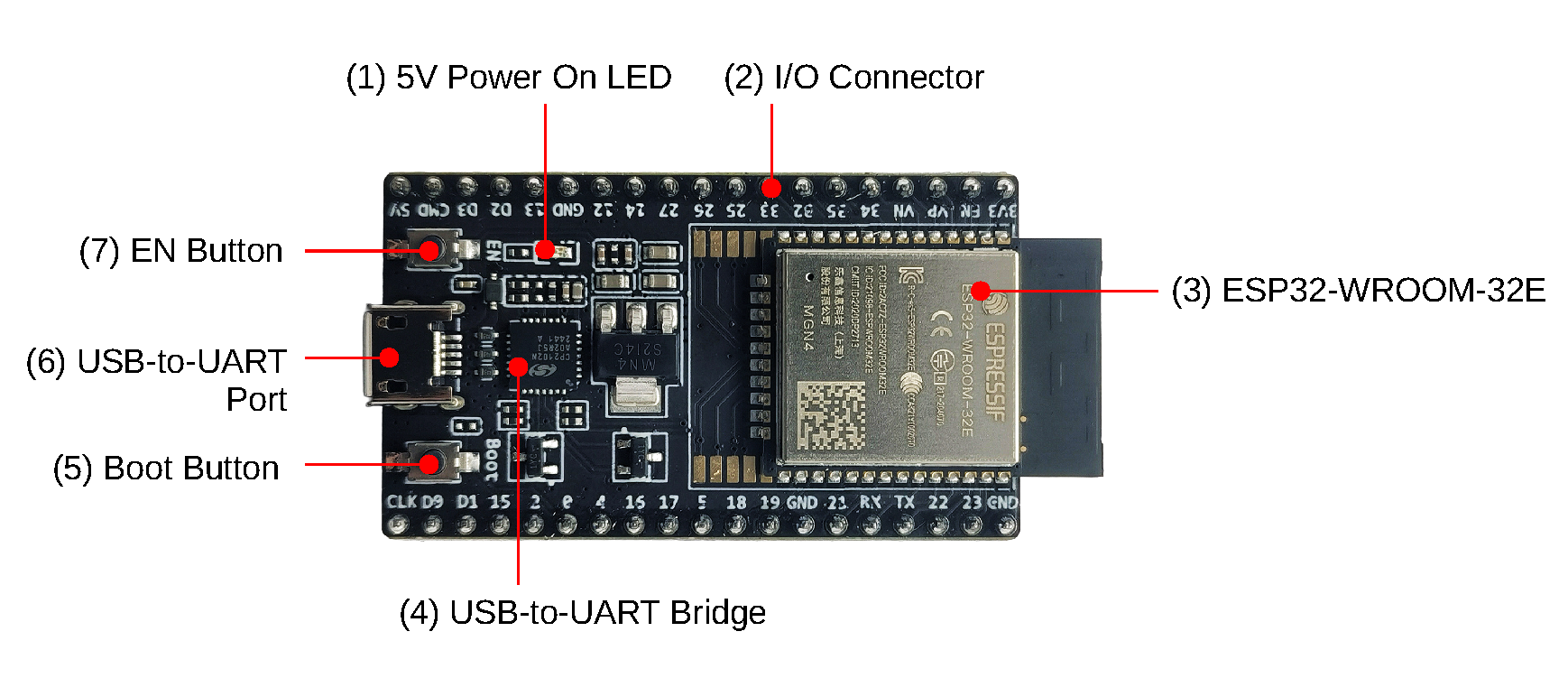
SPECS :
-
Processor: CPU: Xtensa dual-core (or single-core)32-bit LX6, Operating on 160 - 240 MHz
-
Memory: 520kb RAM, 448kb ROM
-
Wireless connectivity: Wi-Fi: 802.11 b/g/n , Bluetooth: v4.2 BR/EDR and BLE (shares the radio with Wi-Fi)
Softwares and Tools:
EUSB-to-UART Drivers: To Establish Serial Connection with ESP32➡️Download Drivers
ESP-IDF(SDK): For C/C++ builds. (Low-levl code —–> ESP-IDF —–> Machine Code). It comes with cross-compiler toolchain, Debugger, Linker etc.
➡️ Github, Get Started (ESP-IDF)
esptool : A Python-based, open-source, platform-independent serial utility for flashing, provisioning, and interacting with Espressif SoCs. Documentation
Installation -
pip install esptool
Useful commands are: esptool erase_flash -> Erase all flash memory
MICRO-PYTHON

MicroPython is a software implementation of a programming language largely compatible with Python 3, written in C, that is optimized to run on a microcontroller.
MicroPython consists of a Python compiler to bytecode and a runtime interpreter of that bytecode. The user is presented with an interactive prompt (the REPL) to execute supported commands immediately. Included are a selection of core Python libraries; MicroPython includes modules which give the programmer access to low-level hardware.
MicroPython does have an inline assembler, which lets the code run at full speed, but it is not portable across different microcontrollers.
Flashing MicroPython Firmware - esptool.py –baud 460800 write_flash 0x1000 ESP32_BOARD_NAME-DATE-VERSION.bin
Install Firmware – USE REPL (to interact and run micropyhton) – Build Projects
Softwares and Tools:
mpremote - The mpremote command line tool provides an integrated set of utilities to remotely interact with, manage the filesystem on, and automate a MicroPython device over a serial connection.
-
connect - connect to specified device via name: $ mpremote connect <device>
-
repl - enter the REPL on the connected device: $ mpremote repl [–options]
For more commands visit Manual
WebREPL -
WebREPL allows you to use the Python prompt over WiFi, connecting through a browser. The latest versions of Firefox and Chrome are supported.
-
Single connection/channel, multiplexing terminal access, filesystem access, and board control.
-
Network ready and Web technologies ready (allowing access directly from a browser with an HTML-based client).
setup - 1. Install MicroPyhton Firmware
2. Connect device and PC to same Wifi network
3. Enter REPL mode
4. Run - import webrepl_setup
5. enable WebREPL mode,
it show WebREPL server started on http://192.168.31.169:8266/

ESP32 datasheet - https://www.espressif.com/sites/default/files/documentation/esp32_datasheet_en.pdf
More to write …
last updated on: 12/09/2025